


MUNICH – November 3, 2026 – Once a month we bring together what shipped in the platform, so admins and enablement teams see in one place what is new and what to switch on.
This update covers Pause in real-time conversations, webhooks for coaching results, and role-based access control for admins.
Pause is for users in a conversation, webhooks connect coaching results to your own systems, and custom roles decide what each admin can do.
Pause: look something up, then carry on
Released on October 8, Pause lets users stop a real-time conversation to look something up, such as a product detail or a price, and then resume where they left off. The conversation freezes, the avatar stays on screen, and a countdown shows how much pause time is left. If a user taps pause while the avatar is still speaking, the pause starts as soon as it is their turn.
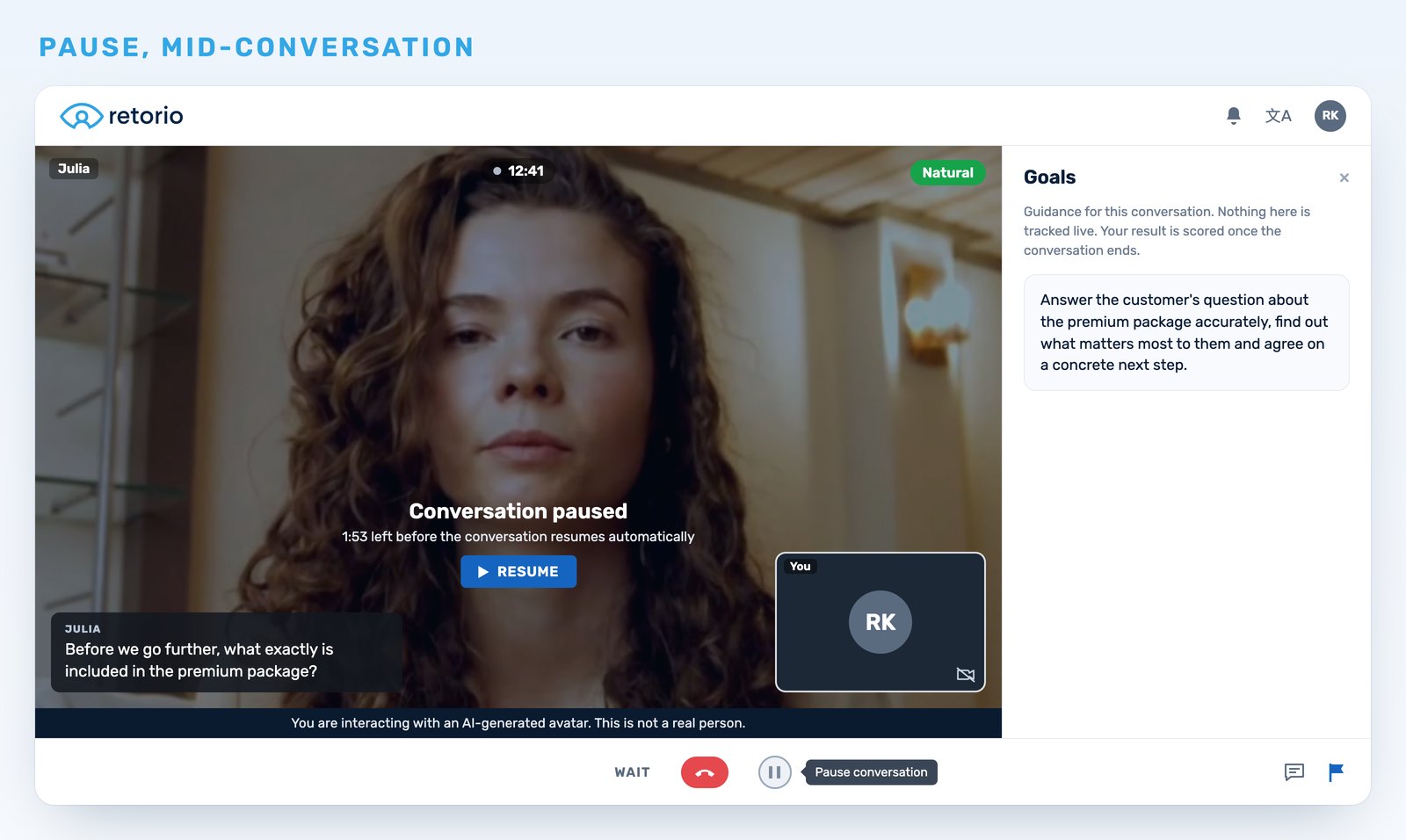
Example: a customer asks what exactly the premium package includes. The rep pauses, checks the product sheet and resumes the conversation.
Admins decide per scenario whether pausing is allowed, in the scenario builder. When pausing is on, they set three limits:
- Maximum single pause: how long one pause can last, from 1 to 10 minutes (default 2). When the single-pause limit runs out, the conversation resumes automatically.
- Maximum total pause: how much pause time a user gets across the whole conversation, from 1 to 15 minutes (default 5).
- Paused time counts toward the countdown: on by default. This option appears only when the scenario has a maximum duration.
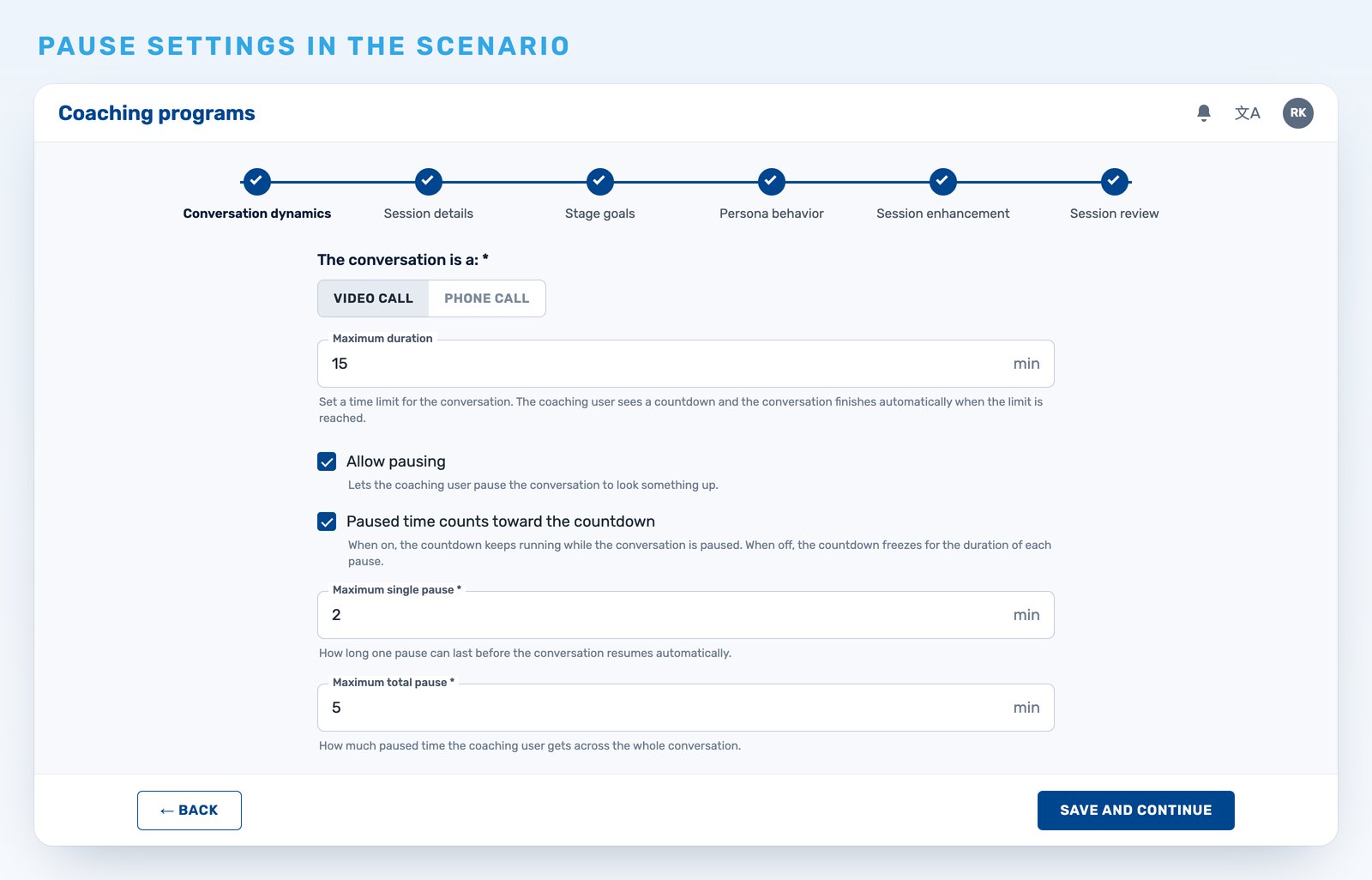
Example: for a pricing conversation, the admin allows pausing, keeps 2 minutes per pause and 5 minutes in total, and lets paused time count toward the 15-minute countdown.
Pause gives users room to check a fact without ending the conversation.
Webhooks: send coaching results to your own systems
Released on October 15, webhooks let Owners, or admins whose role includes webhooks, connect Retorio to their own systems. Retorio sends an event to an HTTPS endpoint when a coaching result is ready. The first supported event is coaching.result.available, sent when a user completes a real-time conversation and receives a result.
Webhooks are set up in the admin area of your account:
- Add up to five webhooks per organization, each with a name, an HTTPS endpoint and the events it receives.
- Add custom headers if your endpoint needs them.
- Send a test event before going live, and follow every delivery in the history with its status.
- Edit, disable or re-enable a webhook at any time.
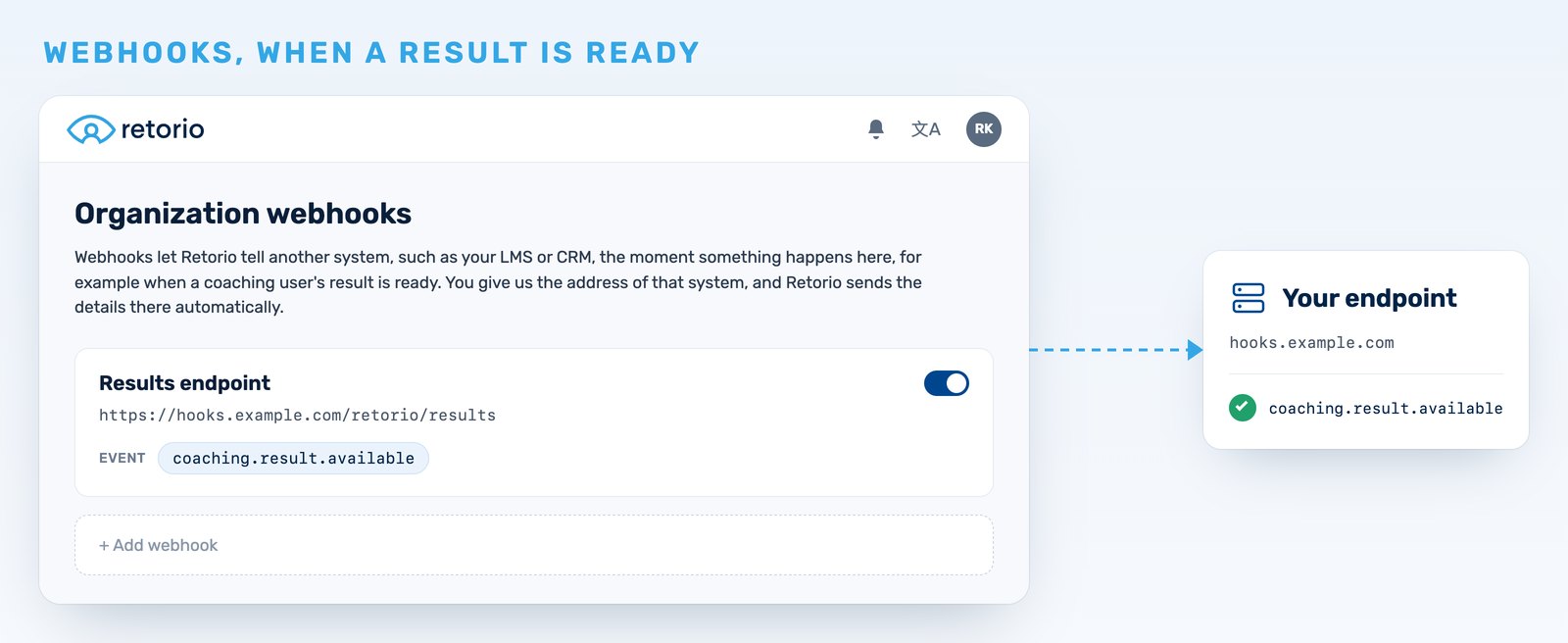
Example: a rep finishes a real-time conversation. As soon as the result is ready, Retorio sends the event coaching.result.available to the endpoint your IT team set up, so the result can show up in your own systems.
A built-in endpoint guide describes the request format, the headers and how to verify the signature, so your IT team has what it needs in one place.
Role-based access control: decide who can do what
Role-based access control replaces all-or-nothing admin access. Owners create custom roles with permissions across seven areas: coaching content, cohorts, coaching users, analytics, organization, webhooks, and team and roles. Each admin then sees and changes only what the role allows.
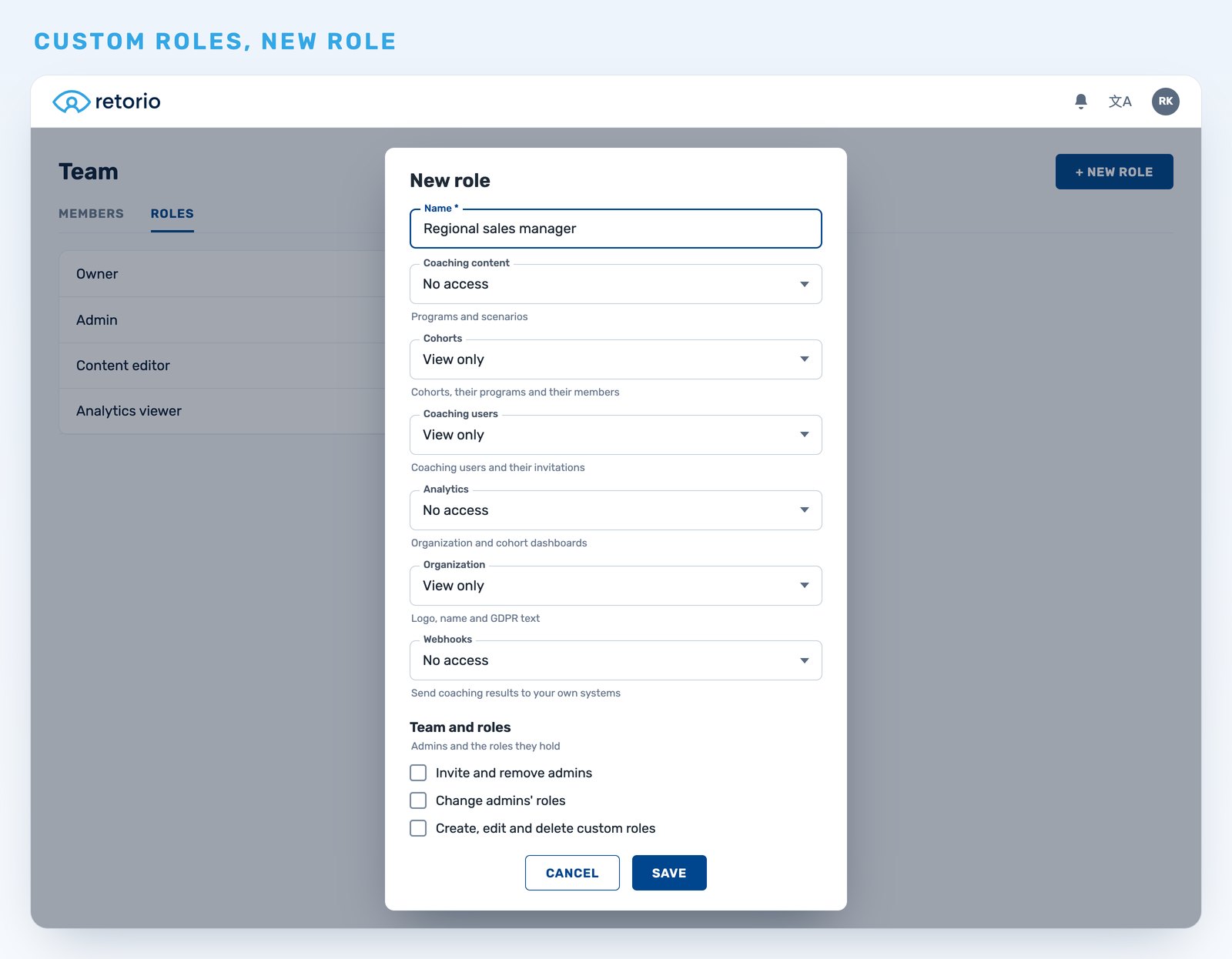
Example: a regional sales manager gets a role to view cohorts and coaching users, without access to coaching content, analytics, webhooks or admin management.
Two system roles, Owner and Admin, are built in and cannot be edited. Admins can only grant permissions they hold themselves.
How to get started
All three updates are available. Pause is switched on per scenario. Webhooks are set up by Owners, or by admins whose role includes webhooks. Custom roles are created by Owners, or by admins whose role allows it.
See Retorio in action
To see how AI coaching could work for your team, book a demo.